To add a new property go to Properties > Add Property

Fill out all information about the property starting from the entering owner's email address.
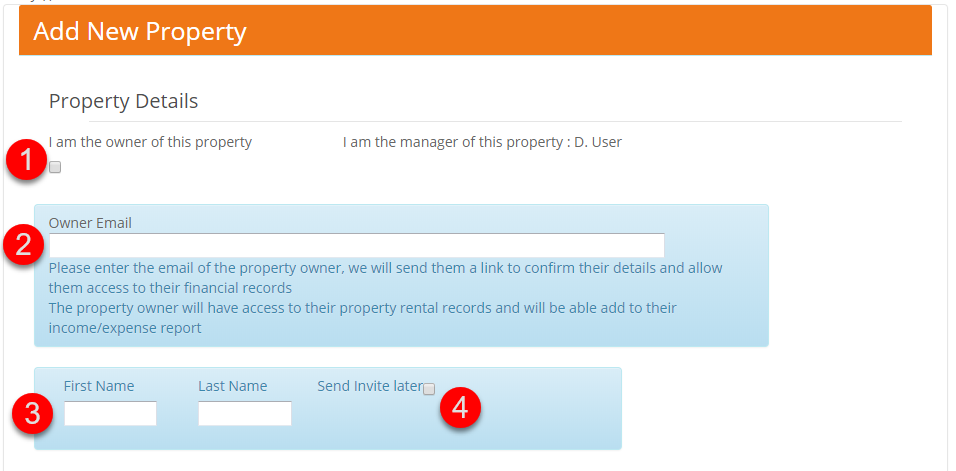
- Select this check box if you are the owner of the property (the fields in blue will disappear)
- If you're the property manager, enter the property owner's email address here
- Once you start typing in the email field, the owner's first and last name fields will appear.
- You can send an invite to the BookingTrust owner's console by selecting this check box. It will be sent when you click save.
Fill out all required fields and click save.
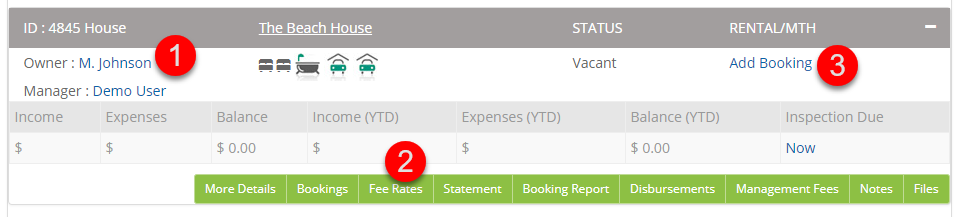
Click view details link to access your new property and to add Owner's bank account details, override Global Fee if different for this property or add a new booking (see links below on how it's done)

You can also now find your property by going to Properties > Active Properties
What next?