To add a new booking go to Bookings > Add Booking

Fill out all information required:
- Select the property
- Add guest's email address or select "No Email Address" check box
- Enter the name of your guest
- Under Payment Details select the payment method, booking source and the account where the payment was received

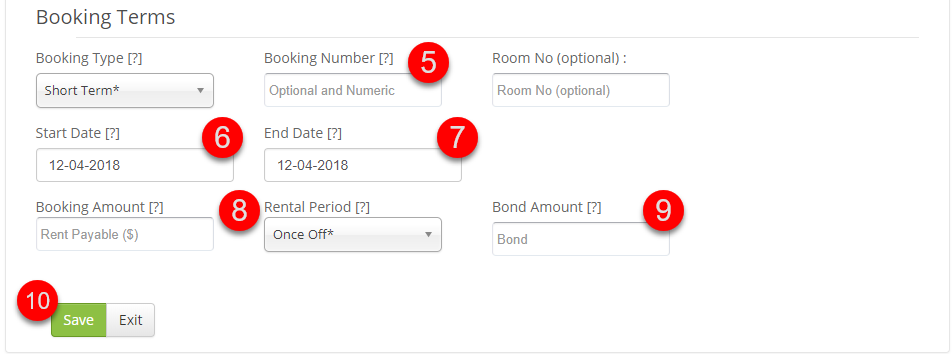
- Enter your booking number - we recommend that you add the same booking number as attached to the same booking in your PMS, or if you do not use any PMS - your OTA reference number.
- Start Date - enter the arrival date
- End Date - enter the departure date
- Booking Amount - enter total booking amount
- Enter Bond Amount - if you don't collect bond, enter 0 (zero)
- Save changes to complete your booking
You can now find your booking under Bookings > Active or All