To Edit a property name
Go to Properties (step 1) > Active Properties (step 2)
All your properties will be displayed here.
If you're using Newbook PMS - your Newbook property ID will be displayed in the bracket next to the BookingTrust property ID.
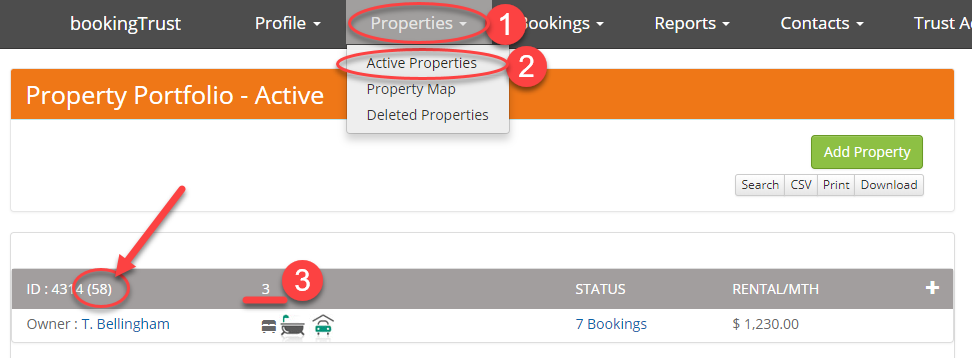
To adjust the property name click on the property name (step 3) - in our example the property name is "3". Click on number 3 (it's a link) to view details and then click on Edit button on the top of the screen.

On the next screen edit the property Nickname and Save.