Allocate one supplier invoice across several properties by creating a separate invoice record for each property’s share. Use the same supplier invoice number so the records remain traceable to the original document.
Allocate the total once
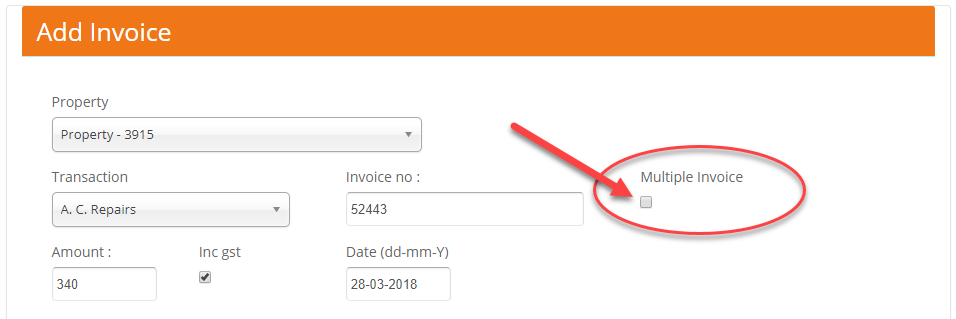
Multiple Invoice permits reuse of the invoice number. It does not divide the amount automatically. Each record needs only that property’s share, and all shares must add up to the original invoice total.
Before entering the records
- Check the supplier, invoice number, total and agreed property allocations.
- Check whether any share has already been entered or paid.
- Have the correct supplier bank record ready and decide which entries should remain pending.
Enter each property’s share
- Go to Transactions > Add Invoice.
- Select the first property, transaction type and supplier. Enter the original invoice number and only the amount allocated to that property.
- Tick Multiple Invoice for this intentional reuse of the invoice number.
- Complete the bank account, method, date and status using Add a supplier invoice. Use the comment to identify the service or allocation, then save.
- Repeat for the remaining properties using the same invoice number and each property’s own amount.
Check the complete allocation
Compare the saved records with the supplier invoice. Check each property, the supplier, invoice number, amount and status, then total the allocated amounts. Review the resulting supplier payment instructions before paying.
BookingTrust says the invoice is already added. Should I tick the box?
First review the existing entry. Use Multiple Invoice only for a legitimate additional allocation; it is not a way to disregard a duplicate-payment warning.
When pending allocations are ready, follow Confirm a pending supplier invoice.