To cancel a booking follow the steps below:
1) Find the booking you want to cancel. Note that there is a green Cancel button on the booking submenu. Before we click on it, let's have a look at the Payment Record and Fees breakdown to understand the process better.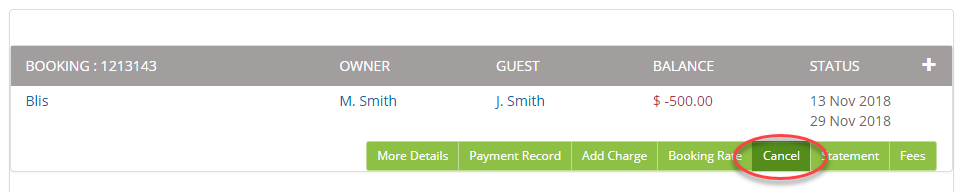
Payment Record:
We have the booking value of $1000 and a deposit of $500:

Management Fee (green Fee button on the booking submenu):
All management fees have already been added to the booking accordingly to the Global Fee setup.
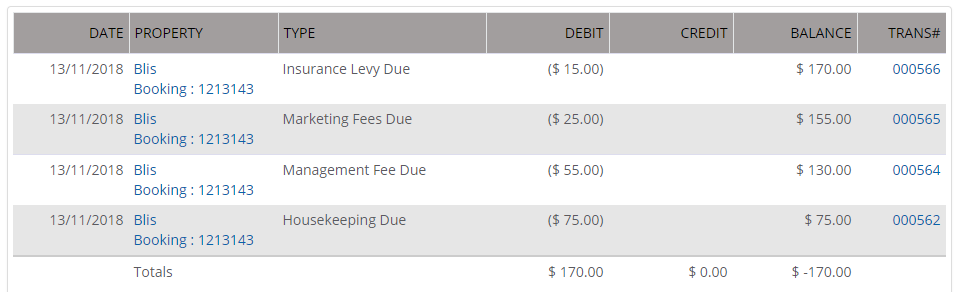
We'll leave both Management Fees and Payment Records as they are - BookingTrust cancellation process will adjust those records accordingly.
Click on the Cancel button to proceed.
2) On the next screen under Cancellation Details, you'll see the booking charges and payment summary.
You will also have an opportunity to add a cancellation fee if you decide to charge it to the guest (here we have applied a $200 cancellation fee).
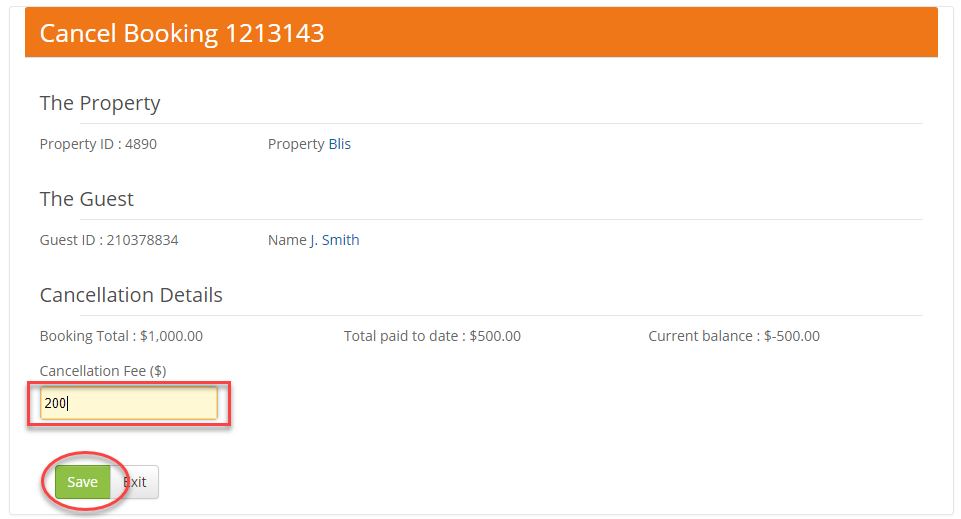
Adding a cancellation fee will create a Guest Charge - Cancellation fee record, this amount will be added to your management fees.
Click on Save button to proceed.
You'll see a green window below with information on required refunds.

Your booking is now cancelled:

The booking Payment Record will reflect all necessary changes:
- Booking Credit for the total amount of Accommodation Due and any Guest Charges - to remove those charges
- A new record of a Guest Charge - Cancellation Fee (as a part of your management fees)
- Security Bond Refund record for the amount that needs to be refunded to the guest (deposit taken minus cancellation fee)
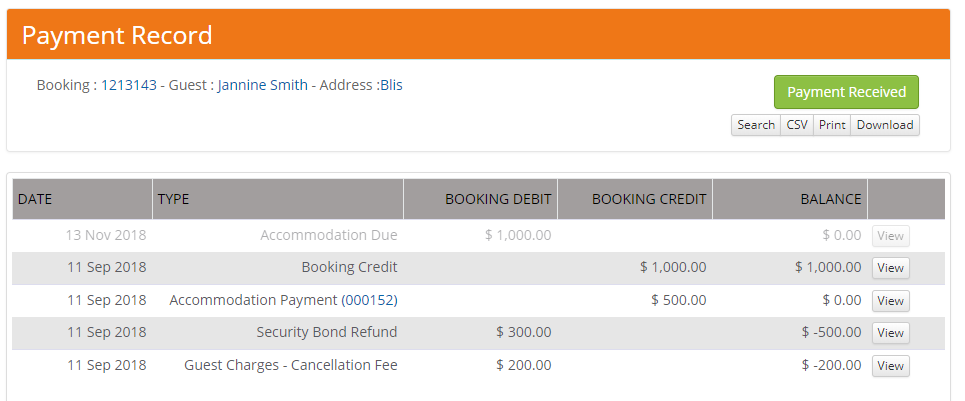
Please note that all refunds will need to be done manually in your online banking platform.
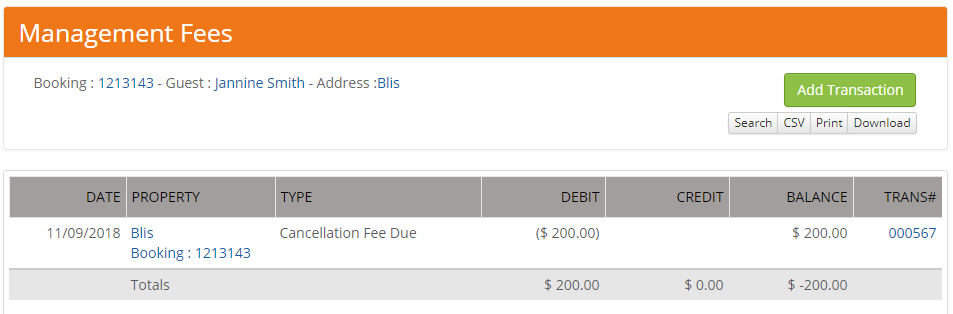
You Management Fee record for this booking will now have only one item - the Cancellation Fee (just like it is with every Guest Charge - this one also is added to your management fees, paid to your general account at disbursements).
All Management fees set up as Global Fees will be removed automatically.
Your booking is now cancelled.

Click red Confirm button to close this record and to release your management fee (cancellation fee if you have applied one).