Update an existing owner bank account when the payment details change. Check the owner’s default account and any separate property accounts so you know which payments the change is intended to affect.
A property may have its own destination
Updating the owner’s bank record does not establish what is stored on each property. Check property-specific bank accounts separately before the next payment.
On this page: Edit the details · Check the result · Common questions
Edit the existing bank details
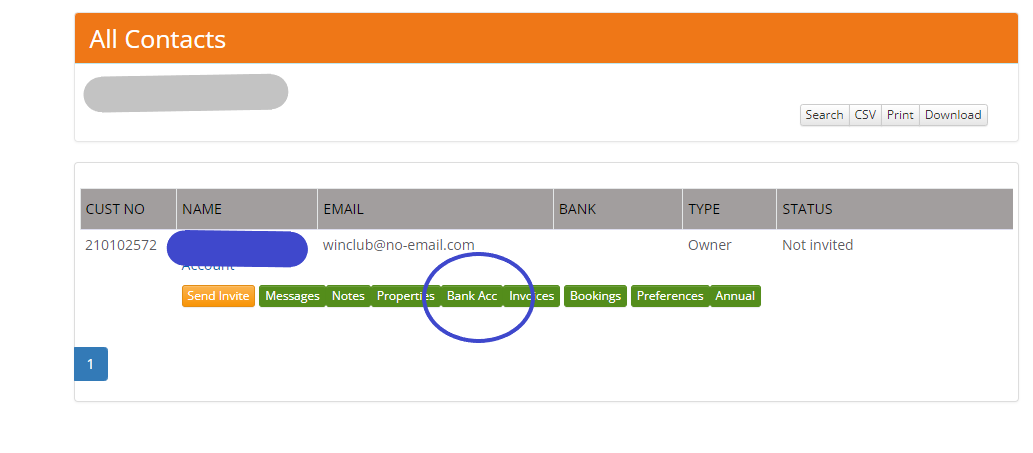
- Go to Contacts > Owners and find the owner, or select the owner’s name from the property listing.
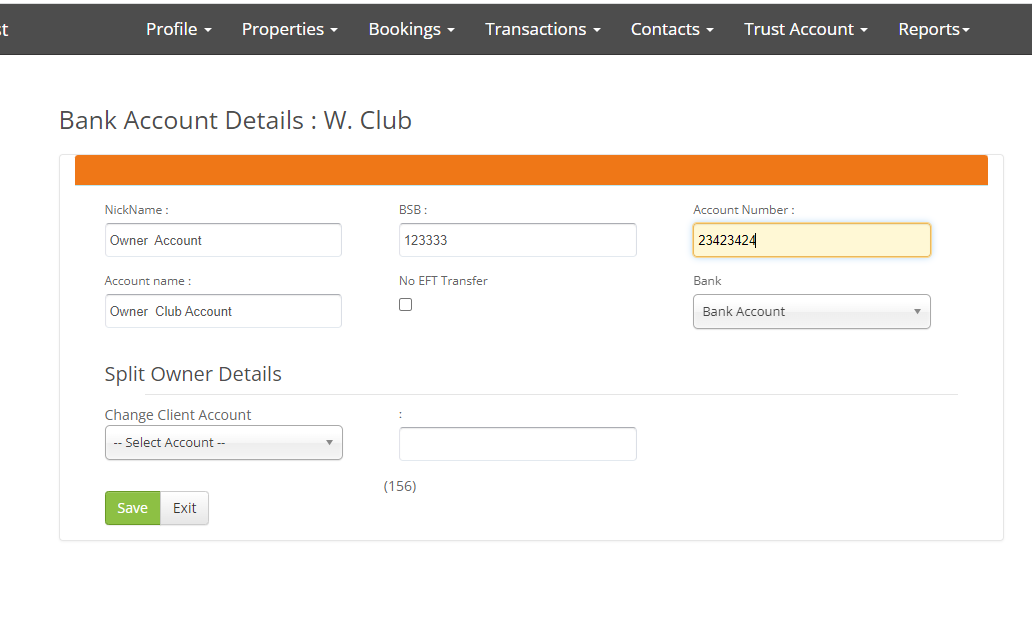
- Select Bank Acc and find the account you intend to change. Check the owner and account before selecting Edit.
- Enter the correct account name, bank/branch details and account number. Review No EFT Transfer if the account’s payment-file inclusion should also change.
- Select Save, then reopen the account and check the stored details.
Check the payment destination afterwards
- Check the default designation if the owner has several bank records.
- Review property-specific bank accounts for properties with separate destinations. Update those through the property’s own account record where required.
- If a payment file has already been downloaded, recheck its destination before using it. Saving new details does not change the contents of a file already downloaded.
- Check the payee and bank destination when you prepare the next bank payment. Do not pay twice while correcting a destination.
Common questions
Does saving the account move or recover money?
No. It updates the account record. If a payment has already been sent, establish its actual bank status and contact support for the BookingTrust records that need review.
What if this is a new bank account rather than an edit?
Use Add an owner’s bank account and check the intended default account and property exceptions.
What if the property has changed owners?
Follow Change a property’s owner. Editing the former owner’s contact or bank details does not create a separate ownership history.