After you had an online demo with the Booking Trust team you will receive your demo account login details.
Bookings reconciliation
Your BookingTrust demo account is loaded with all your current Newbook bookings with all charges and payments attached to them. BookingTrust demo account is connected to your Newbook account allowing you to reconcile your bookings, however, new bookings will not be imported at this stage.
Please note that the booking reconciliation between Newbook and BookingTrust is done automatically every 4 hours on live accounts only. To reconcile your bookings, you will need to click the Reconcile button on each booking.
Global Fees
Your account is already set up with the Global Fees (management fee items automatically applied to bookings/payments) set to generic figures. When we create your live BookingTrust account, we'll ask you to set up Global Fees and adjust them per property if they vary before we import all your bookings and payments (Global fees will apply automatically at the time when the booking is received).
Our demo account, however, will already have all your bookings in therefore all Global Fees are already applied - please work on the Global Fees figures that are set in the demo BookingTrust
Please take a good look at the system, perform your daily trust accounting tasks and let us know if you have any questions.
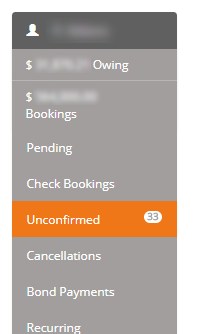
Once done, you can reconcile and confirm your bookings (bookings that require your attention are under the "Unconfirmed" link on the right-hand side). Click here to see how to handle unconfirmed bookings
Click here to see what steps are required to process a Newbook booking in BookingTrust
Click on the links below to find out how: