- BookingTrust receives a booking from Newbook. To view, all bookings go to Bookings > All.
To view future and current bookings only, go to Bookings > Active - Completed booking (guest checked out), requiring your attention, appears under Unconfirmed Bookings in BookignTrust (Bookings > Unconfirmed)
- BookingTrust identifies each charge and payment for it accordingly to the GL account setup for this inventory item in Newbook. Click here to find out more about GL codes.
This process in BookingTrust is called booking Reconciliation.
Prior to running reconciliation for a booking, our records will only show one charge - Accommodation Due and a record of money received against a booking as "Received Funds". At this stage, we don't know yet if there are any guest charges and what this payment is for.
After the reconciliation, we will be able to identify all charges and types of payments - BookingTrust regularly runs automated reconciliation with Newbook (this is done every 4h during the day and once overnight for live clients only).
If the booking is not reconciled in BookingTrust and you'd like to perform this process manually (i.e: there are new charges that haven't been identified by BookingTrust yet and you don't want to wait for the next automated reconciliation) you can trigger the reconciliation by clicking Reconcile button on the bookings submenu - Once all charges and payments are identified and your booking is fully paid (past booking) you're ready to release funds for this booking - this is done by Confirming each booking. Click here to see how it's done.
- Once confirmed, the booking record will disappear from the Unconfirmed booking screen. Funds for this booking will be allocated accordingly against the property (on the disbursement screen).
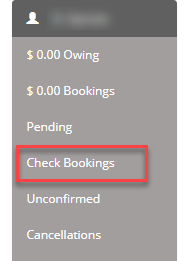
- If there are any further changes made to the confirmed booking and transactions are added, the booking will be moved to the Check Booking section on the right menu. This booking will need to be reconfirmed after all changes are reconciled with Newbook.
- At this stage, BookingTrust understands that the funds for this booking has been released and they're ready to be disbursed (your disbursement record both for owners remittance and your fees for this property will be increased as we have just released the funds). Click here to see how to disburse funds.
- Booking amount will be split accordingly between owner's remittance and management fee and will increase the funds against this property under the Disbursement screen. Click here to find out more about the disbursement process