 |
Download Daily Bank Reconciliation as a PDF |
|
Download Daily Tasks as a PDF |
Daily Bank Reconciliation is a process of comparing your trust bank account balance with the BookingTrust transactions.
All transactions recorded in BookingTrust are noted in your Cashbook (Trust Account > Cashbook), however, some transactions may have not physically appeared in your bank account as yet (ie. payment via bank transfer that is already recorded in BookingTrust may take 2-3 days to appear on your bank statement).
BookingTrust Daily Bank Rec and Transaction List will help you identify those late payments and reconcile your current bank balance with those payments in mind.
1. Confirm Daily Transactions
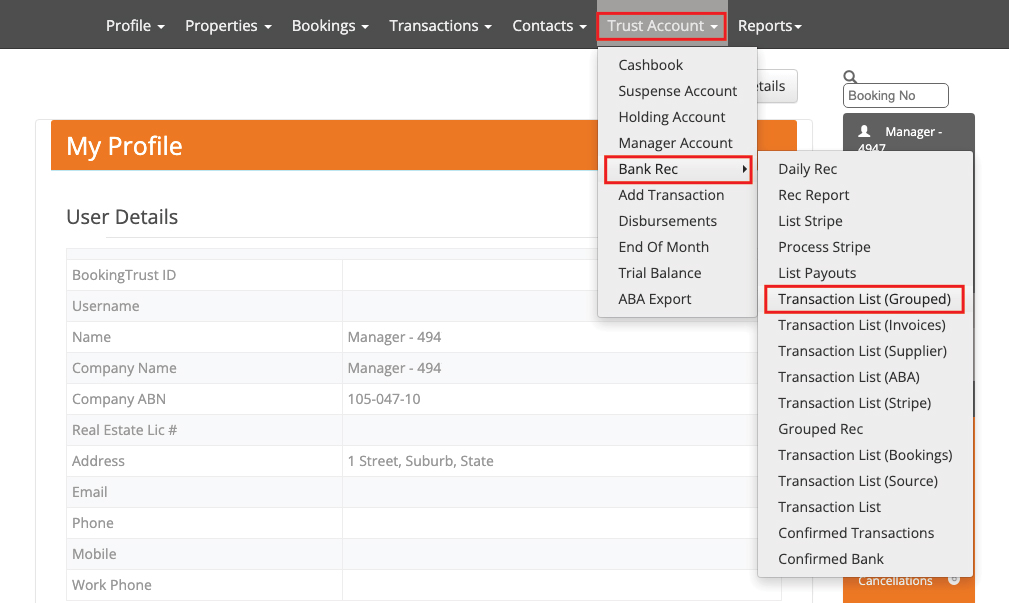
To confirm which transactions in BookingTrust are already recorded in your bank account and which ones still await processing, go to Trust Account > Bank Rec > Transaction List (Grouped)
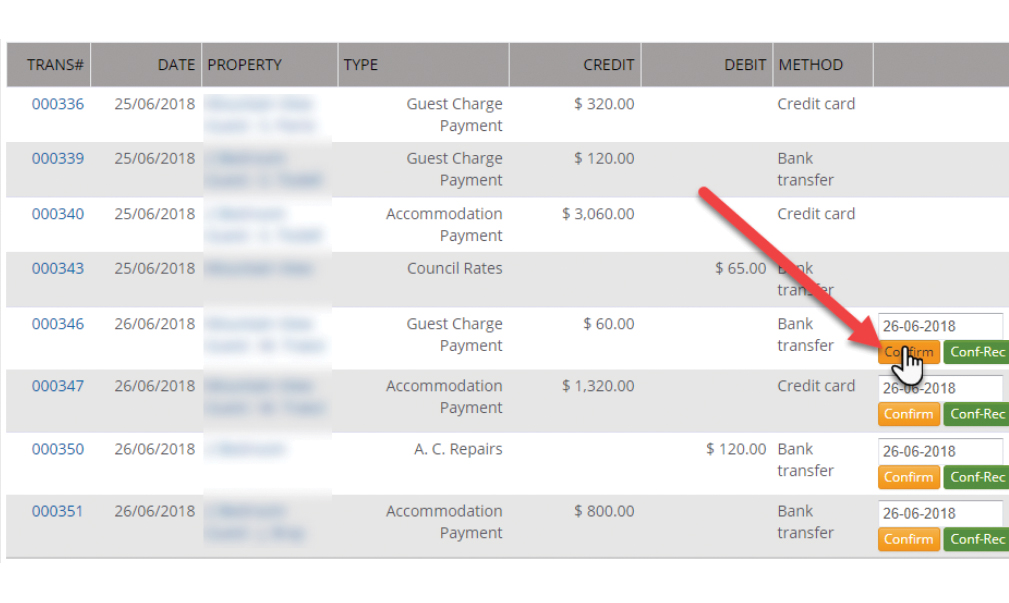
Transaction List shows all transactions recorded in BookingTrust. This will include money paid out (invoices, management fees) as well as payments for bookings.
Use the orange Confirm button on the right-hand side to mark those transactions that are already recorded in your bank account.
Leave unconfirmed those transactions that haven't affected your trust account balance as yet. When doing the Daily Rec, BookingTrust will take into account only confirmed transactions that have affected your trust account balance.
We highly recommend reconciling your BookingTrust transactions every day.
NOTES:
You can find and match transaction/s based on the Payment Method and Date columns. For example, there might be two transactions which make up one booking.
Adjust the date according to when it hit the bank account.
UnConfirm Daily Transactions
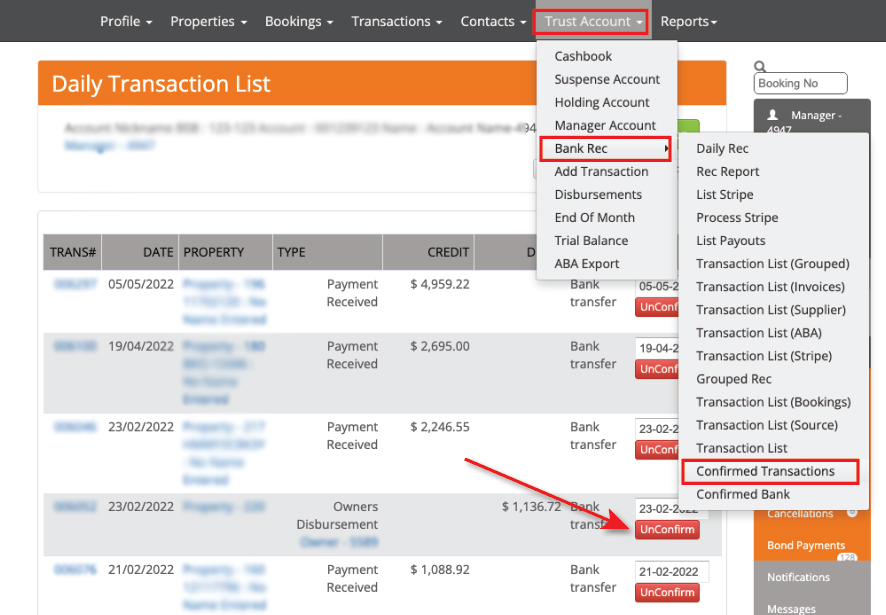
If you’ve accidentally confirmed a transaction, you can UnConfirm that transaction by going to
Trust Account > Bank Rec > Confirmed Transactions and clicking the red UnConfirm button. These will appear back on the Transaction List.
2. Daily Rec
The next step is to record your actual trust account balance and compare it with the BookingTrust records.
Go to Trust Account > Bank Rec > Daily Rec
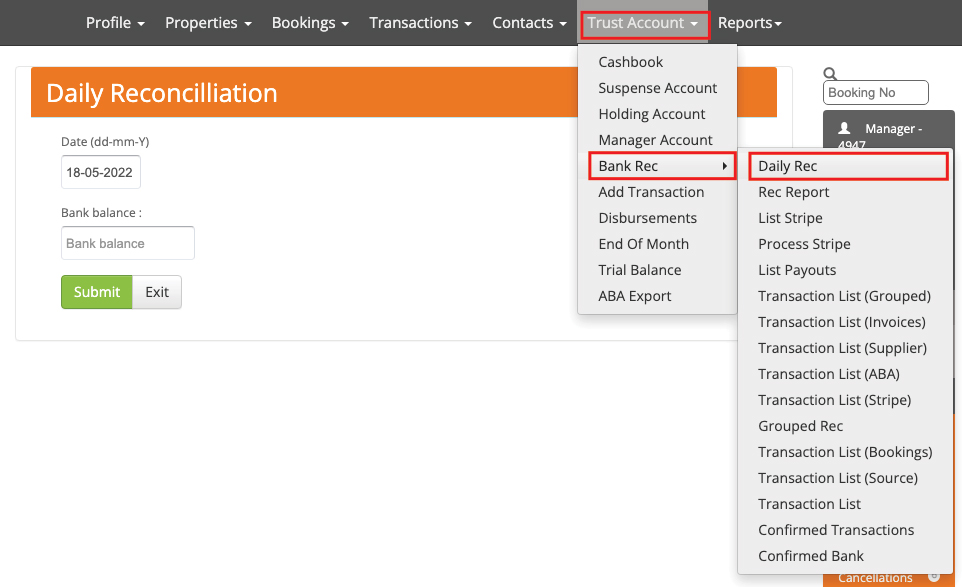
Enter the date of your bank statement and your trust account bank balance and click Submit.
We recommend that you reconcile your accounts for the previous day each time, as the same day transactions may still be processing. To run the daily rec, put the date and the balance of the previous day and click Submit.
3. Daily Rec Report
BookingTrust will confirm if the bank balance is matching with the BookingTrust records and if so, it will generate a Bank Rec Report entry where the Bank Balance and Cash Book are the same amount.
This report can be accessed anytime by going to Trust Account > Bank Rec > Rec Report
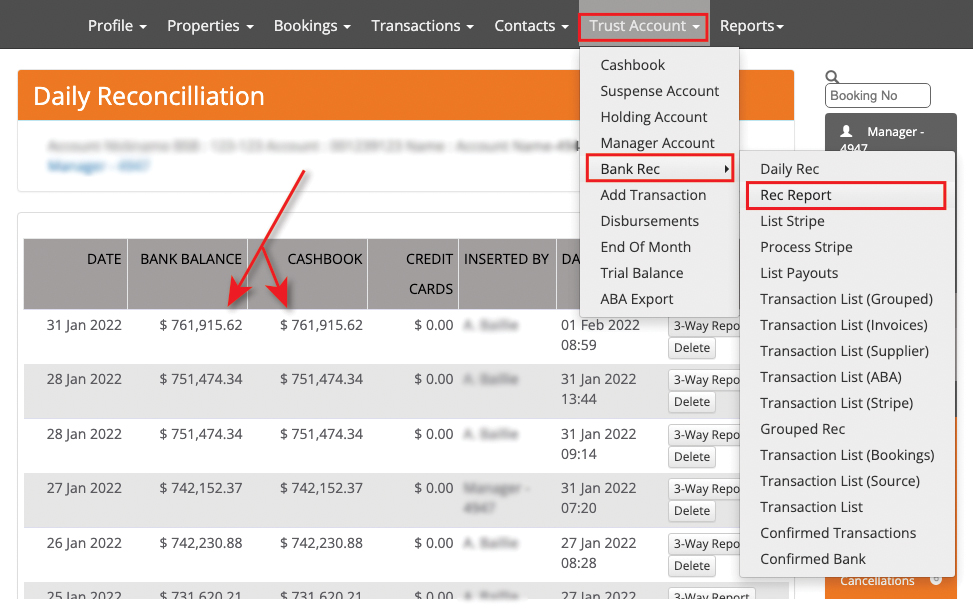
If the bank balance is not the same as the BookingTrust record, you will see a message on your screen showing the discrepancy.