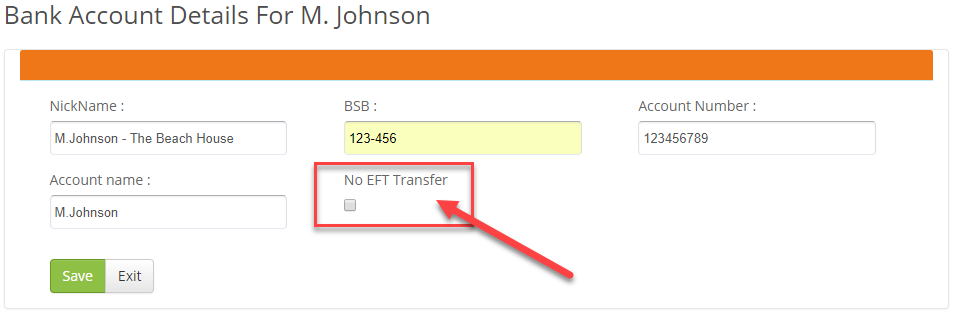
When you add a new property, the owner's record will consist of this name and email address.
To be able to pay each owner during disbursement process and to use the ABA file we'll need to have the owner's bank details on file.
There are several ways you can enter owner's details.
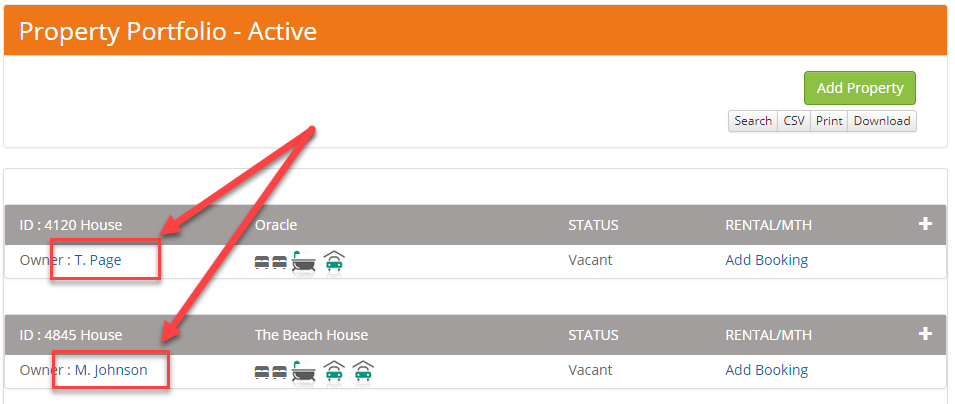
- By clicking on the name on the property record
- You can search for the owner by going to Contacts > Owners
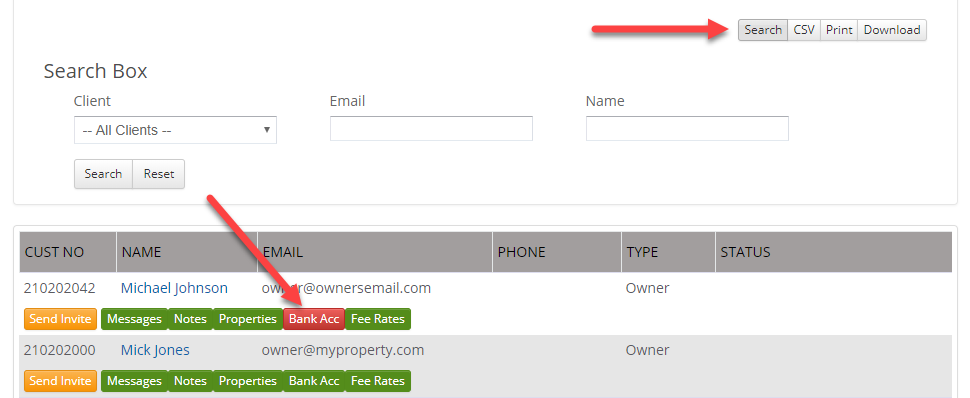
Click on the Search button to open search options or find the owner's record on a list below.
Click on the Bank Acc button to update bank details (the Bank Acc button will be red if the bank account details are missing and green if the record is complete).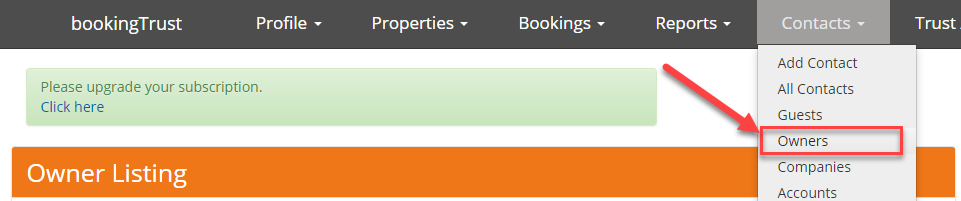
On the next screen click on Add Bank Account button and fill out all information required.

Fill out all information required.
If you don't want to include this owner's record in the ABA file, select the No EFT Transfer check box. (this field in unticked by default)
Once done, click Save button