 |
Download End of Month Procedure as a PDF This PDF includes How to Disburse Funds |
With Booking Trust you can disburse funds anytime you require, for all or for selected properties.
To start, select Trust Account > Disbursements
Click on the plus/minus sign to see the list of all properties and the fees breakdown.

You will see the list of all properties with funds ready to be disbursed. .
Fees - Your management fees: management commission plus any management fees added manually
Charges - All booking charges (regardless if they are charged to the owner or to the guest - in both cases, the money should go to you as a property manager and not to the owner).
FF&E - Furniture Fixtures and Equipment
Pending - Transactions marked as Pending - invoices with status Pending will be still displayed on the Booking Report with status Pending.
Expensed - Invoices paid to service providers from a trust account - there is no need to disburse expenses, each time the invoice is saved as Active it will be treated as paid.
Remittance - Money for the property Owner
Reports and Disbursement Submenu
The submenu includes reports and disbursement options as follows.
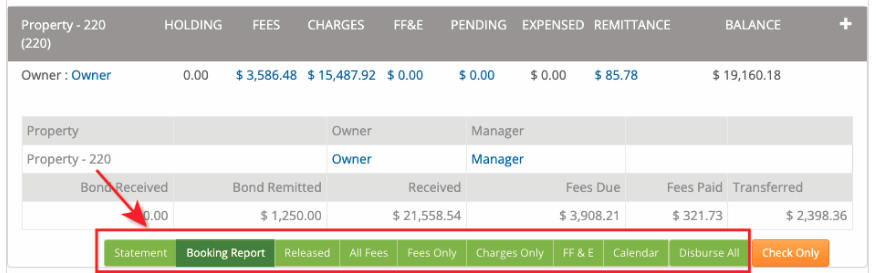
Reporting
Statement - This is a financial statement of all transactions for this property.
BookingReport - This is the owner's statement displaying the booking report for the current month. To view a booking report for the previous month, go to Reports > Owners Statements and select Last Month report from available options.
Released - This report contains a list of all transactions that were released, the total of this report = the current Balance for this property.
Disbursement Options
All Fees - Use this option to disburse both management Fees and booking Charges
Fees Only - Use this option to disburse your management fees only (your management fees are all fees set as Global Fees and any management fees entered manually by going to Transaction > Add Management Fee)
Charges Only - Use this option to disburse booking charges only (booking charges are paid to your trading account)
FF&E - Furniture Fixtures and Equipment Ledger
Calendar - Calendar view of bookings
Disburse All - Use this options to disburse all funds (your management fees, booking charges and owner's remittance)
We highly recommend reviewing the booking report (owner's statement) before you disburse funds.
If there is some information missing for this property, you'll see the orange button "Check Only":
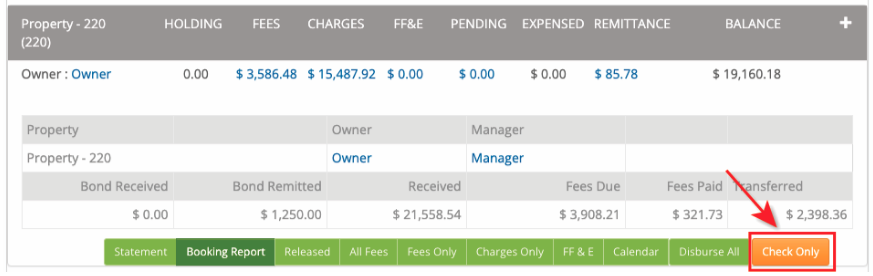
Please ensure that the owner's bank details are correct and try again.
Alternatively, you can proceed with the manual process of disbursement as described below:
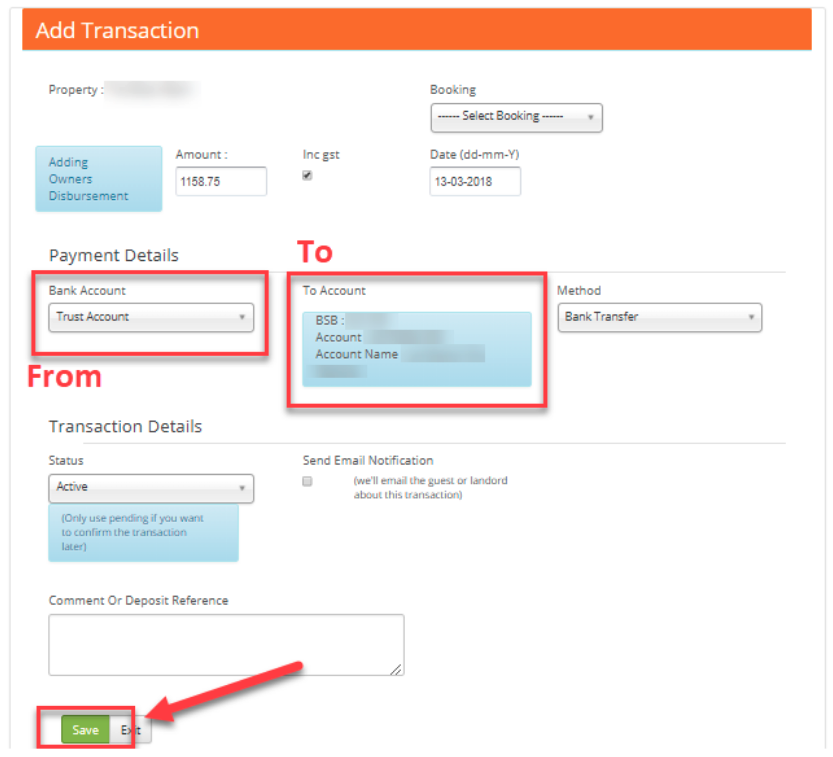
To disburse funds, click the amount you're ready to disburse, i.e. on Remittance amount to pay money to the property owner.

On the next screen check the owner's bank details displayed and if you're happy with it, click Save.
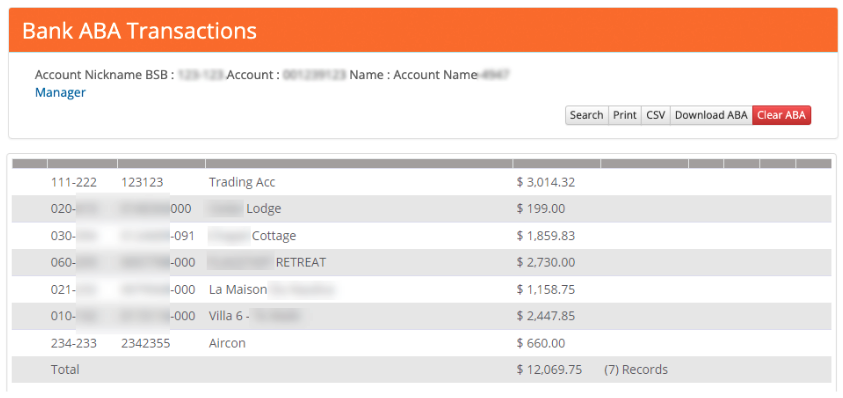
Once saved, the funds are considered to be disbursed and they will be reflected on your ABA file (as a separate entry or increasing the amount already displayed there, just like it is done with your trading account record showing the sum of all management fees).
Repeat those steps to disburse your fees next:
Click on the Fees amount, check all the details and click Save.
Repeat those steps for Charges.
To generate an ABA file with the record of all disbursed funds go to Trust Account > ABA Export
(except for the services that you marked "No EFT Transfer - read more info on Adding Contractors Details)