If you pay your contractors from Trust Account, you can add details of those businesses and their bank accounts into Booking Trust.
Each time you'll add and confirm an invoice, the service amount will automatically be added to the owner's statement and into the disbursement record for the particular property.
Contact > Add Contact > Select Trade/Service as Account Type > Add email address (tick Send Invite Later check box) > Under User Detail select Company > Fill out all details and click Save
Next, add bank account details to the Company record.
You can go to the Company record straight after saving your new entry, by clicking on the View Profile link

On the next page click on the Bank button to add bank details:
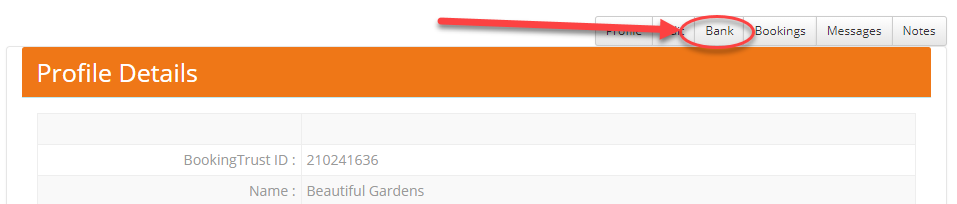
Click on the Add Bank Account button. See below for further instructions.
To add the bank account to existing Company record:
Go to Contacts > Companies or Services > find the service provider and click on Bank Acc button
(without this they will be unable to be selected as a payee when an invoice is selected)
Click on Add Bank Details button and fill out the form on the next page.
By default, the bank details will be added to the ABA file. If you prefer to pay your contractors separately, tick the box "No EFT Transfer" and the payment will not be added to the ABA file. 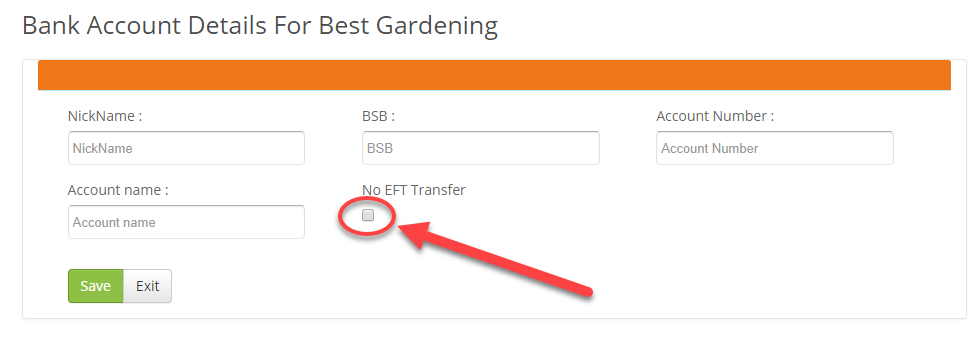
You can now create an invoice with contractor's details.